
How do I edit the quantity & frequency of my Recurring items?
Edited
To adjust the quantity and frequency of your recurring items, first visit the "Manage Items" tab on your Recurring Shipments page here.
Next, click the button with the circular arrows under the item(s) you'd like to adjust.
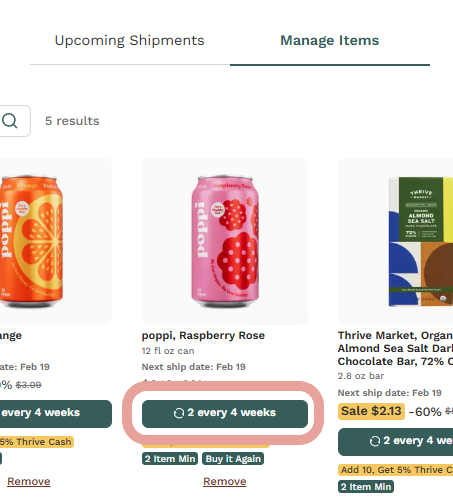
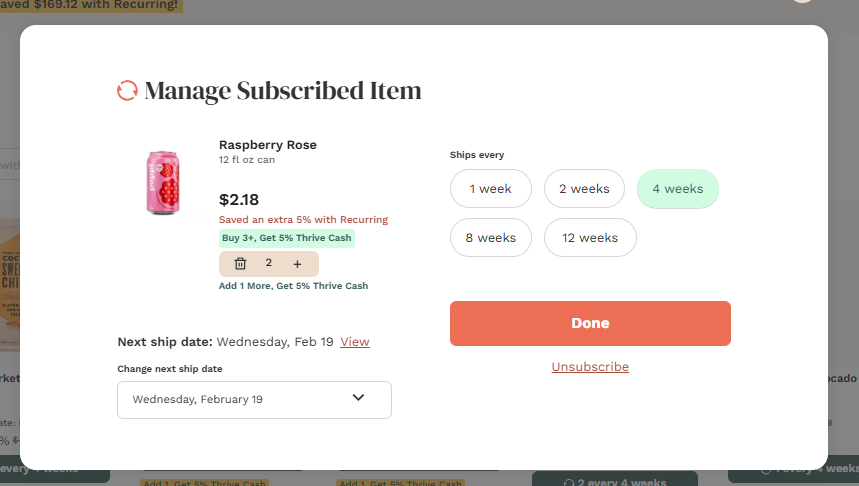
Here, you can edit the quantity, frequency, and next ship date of the item. You'll be able to choose to have the item included in your recurring order every 1, 2, 4, 8, or 12 weeks. Be sure to click "Done" to save your changes.
Was this article helpful?
Sorry about that! Care to tell us more?