
I forgot my password
If you forget your password, you can reset it anytime by clicking here or by following the instructions below.
Here is a step-by-step!
On the homepage of our website, you should see a
text button in the top right corner of the page. Once you click on that, the sign-in box will appear.
From here, you will select the “Forgot Password?” text button.
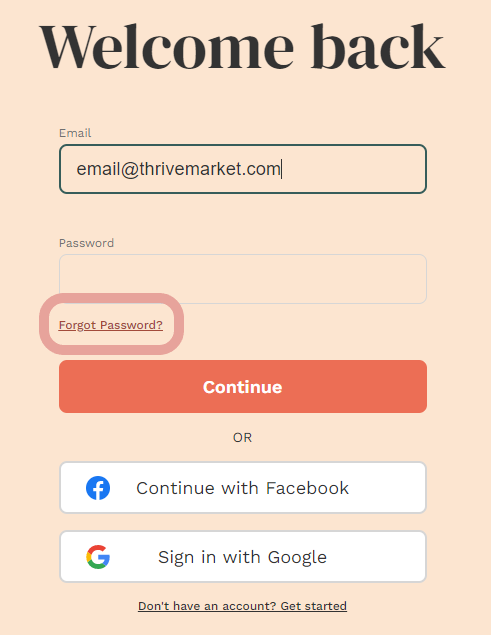
This will send you to a page requesting your email address.
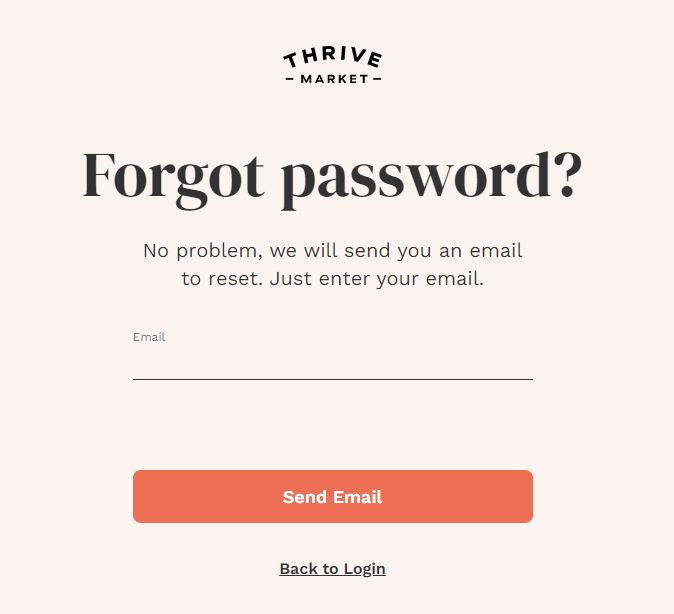
Enter the email address that is associated with your Thrive Market membership and click the "Submit" button.
You should then receive an email from Thrive Market with a link to reset your password.
Click the link provided. You will be directed to a page where you can create a new password.
If you are still unable to log in, feel free to reach out to us via live chat and we will happily assist you.