
How do I update or change my shipping address?
Edited
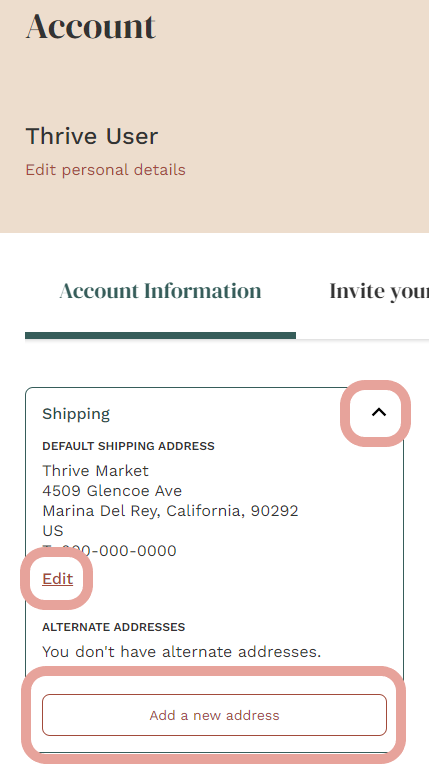
Here is a step-by-step of how to edit your shipping address:
Once logged into your account, visit your Account Settings page.
On your account page, click the drop-down arrow in the "Shipping" information box in the bottom left corner.
This box will allow you to edit the default shipping address on file or add a new shipping address altogether.
You can also add new addresses at any time at checkout. Need some hands-on assistance? Our Member Services team is available by chat 24/7. Chat with us anytime here.
Was this article helpful?
Sorry about that! Care to tell us more?