
How do I update or change my payment information?
Edited
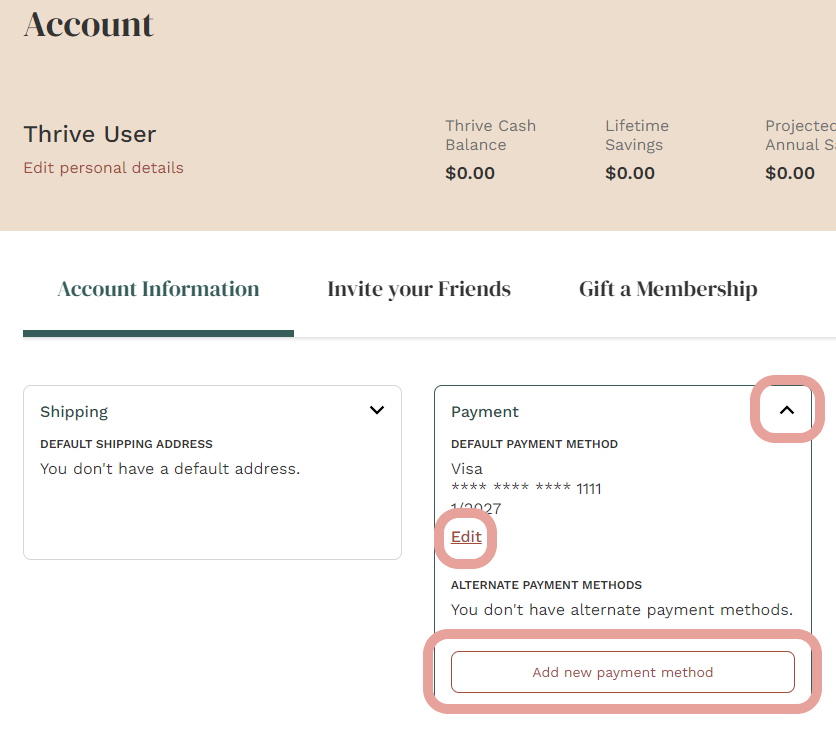
Great question! Updating your payment method is a simple process. Here is a step-by-step of how to change your default card, or add a new one:
Once logged in to your account, visit your Account Settings page.
Click the drop-down arrow on the middle box where it says "Payment"
This box will give you the option to update your current default payment method, as well as add an alternate payment method.
Still need help? Feel free to reach out to our Member Services team here.
Was this article helpful?
Sorry about that! Care to tell us more?